
English
day-01
Today's Table of Contents
- 01-Overview of Software Development
- 02-Cangqiong Waimai Project Introduction
- 03-Development Environment Setup
- 04-Importing the API Documentation
- 05-Swagger
01-Overview of Software Development
1.Software Development Process
Requirements Analysis
- Requirements specification
- Product prototype
Design
- UI design
- Database design
- API design
Coding
- Project code
- Unit tests
Testing
- Test cases
- Test reports
Deployment and Operations
- Software environment installation
- Configuration
2.Role Division
Project Manager
Responsible for the entire project, task assignment, and progress control
Product Manager
Conducts requirements research and outputs requirements research documents, product prototypes, and so on
UI Designer
Outputs interface mockups based on the product prototype
Architect
Overall project architecture design, technology selection, and so on
Development Engineer
Code implementation
Test Engineer
Writes test cases and outputs test reports
Operations Engineer
Software environment setup and project deployment
3.Software Environments
Development Environment (development)
The environment developers use during the development phase; generally external users cannot access it
Testing Environment (testing)
An environment dedicated to testers, used for testing the project; generally external users cannot access it
Production Environment (production)
That is, the online environment, the environment that formally provides external services
02-Cangqiong Waimai Project Introduction
1.Project Introduction
Positioning
A software product tailored specifically for food and beverage businesses (restaurants, dining establishments)
- Admin side - used by takeout merchants
- User side - used by customers placing orders
Functional Architecture
- Admin side
- Employee management
- Category management
- Dish management
- Set meal management
- Order management
- Workbench
- Data statistics
- New order alerts
- User side
- WeChat login
- Product browsing
- Shopping cart
- Placing orders
- WeChat Pay
- Order history
- Address management
- Order reminders
2.Product Prototypes
Product Prototypes
Used to demonstrate the project's business functions; generally designed by the product manager
3.Technology Selection
- User layer
- Node.js
- Vue.js
- element plus
- WeChat Mini Program
- apache echarts
- Gateway layer
- Nginx
- Application layer
- Springboot
- SpringMvc
- Spring Task
- httpclient
- Spring Cache
- JWT
- Alibaba Cloud OSS
- Swagger
- POI
- WebSocket
- Data layer
- MySQL
- Redis
- mybatis
- pagehelper
- spring data redis
- Tools
- Git
- maven
- Junit
- postman
03-Development Environment Setup
1.Frontend Environment Setup
Because Cangqiong Waimai is mainly a backend project, the frontend code is simply provided ready-made
In the provided materials, drag nginx to a location whose path contains no Chinese characters, then just double-click to start it and visit localhost:80
2.Backend Environment Setup
Overall Directory Structure
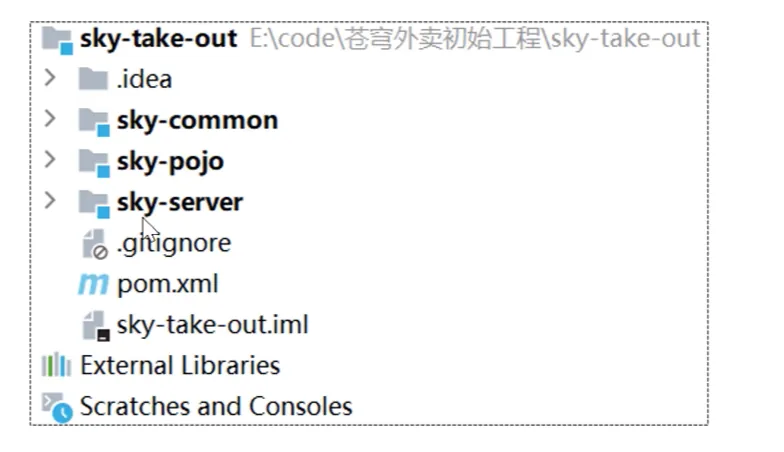

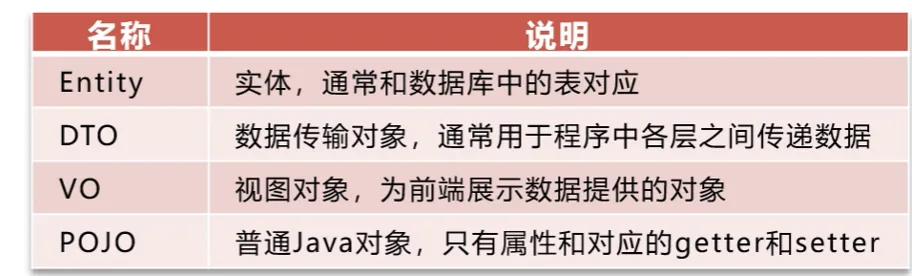
Creating the Git Repository
Nothing much to say here, it is all the usual boilerplate: git init, then git remote add origin <url>
and then git push -u origin master to push it up; that is about it
Setting Up the Database Environment
Here you just use the SQL file he provided, copy and paste it into DataGrip, and execute it with one click
Frontend-Backend Integration Testing
Still just visit localhost:80 and log in directly. What needs emphasis here is that you have to modify the datasource configuration in the project's application-dev.yml file
And now testing the login feature shows that login already succeeds
3.Improving the Login Function
Problem: passwords in the employee table are stored in plaintext, which is too insecure. The approach is as follows:
- Encrypt passwords before storing them to improve security
- Use MD5 hashing to encrypt the plaintext password
After frontend-backend integration testing, we set breakpoints and debugged to find the password comparison part
Then, first of all, we need to change the password of admin in the employee table in the original database to the encrypted version
- Original: 123456
- Encrypted: e10adc3949ba59abbe56e057f20f883e
The encryption code for this part was still CV'd from a Bilibili danmaku
EmployeeServiceImpl
You just need to reassign password to the MD5-hashed ciphertext above the part that checks whether it equals the one in the database, and then compare it with the ciphertext in the database
java
password = DigestUtils.md5DigestAsHex(password.getBytes());
if (!password.equals(employee.getPassword())) {
    //密码错误
    throw new PasswordErrorException(MessageConstant.PASSWORD_ERROR);
}Finally, test frontend-backend integration to check whether login succeeds
04-Importing the API Documentation
Frontend-Backend Separation Development Workflow
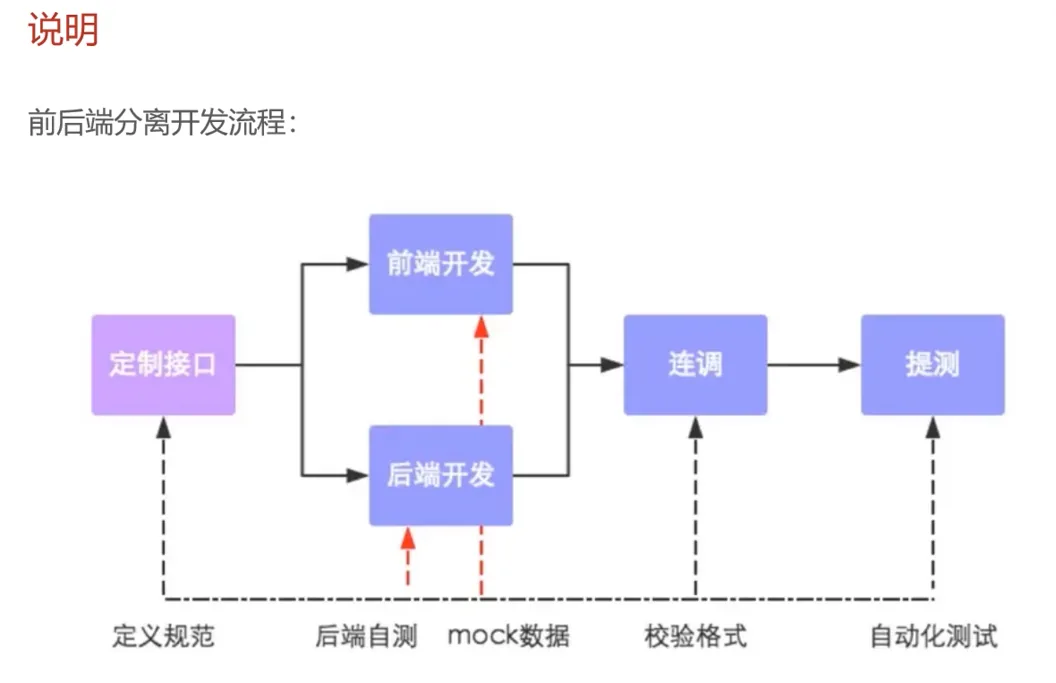
Steps
So now I have to talk about how the API documentation here was imported
The materials provide two JSON API documentation files in YApi format
Then in Apifox create an empty project named Cangqiong Waimai, then create two directories in the root directory, one named Admin-side APIs and the other User-side APIs, and then import the corresponding JSON files under these two folders respectively; the import format is YApi, and then you get the complete API documentation
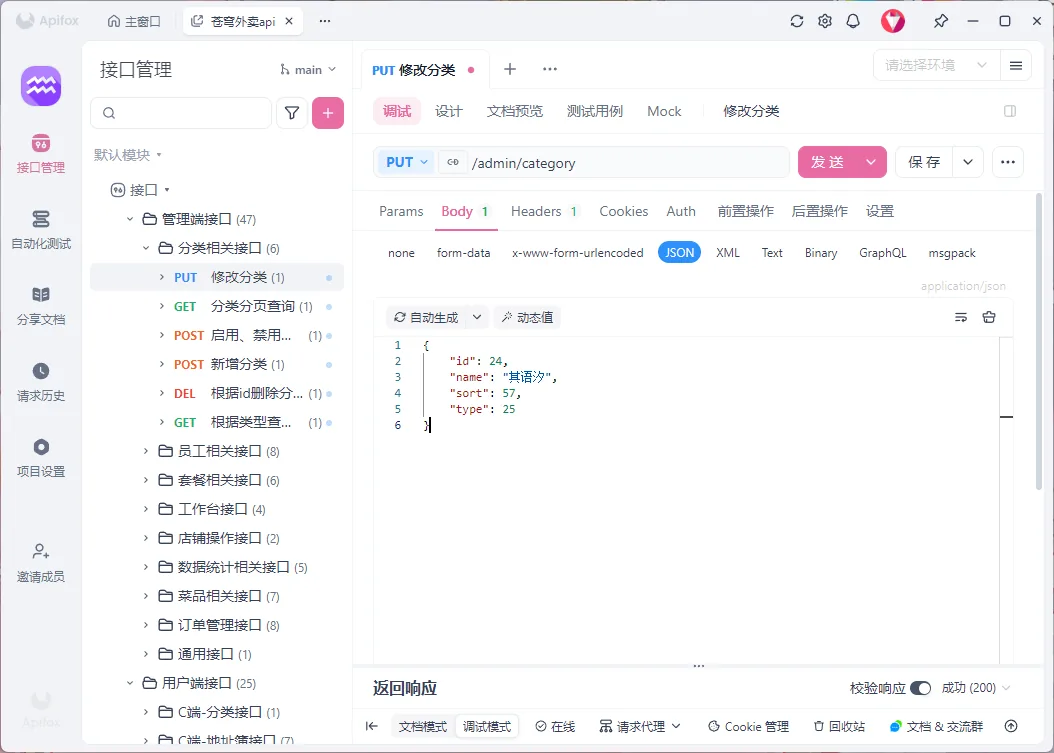
05-Swagger
Honestly, Apifox is so awesome that this thing is completely useless; correct, fair, and to the point ✍️✍️✍️✍️
Introduction
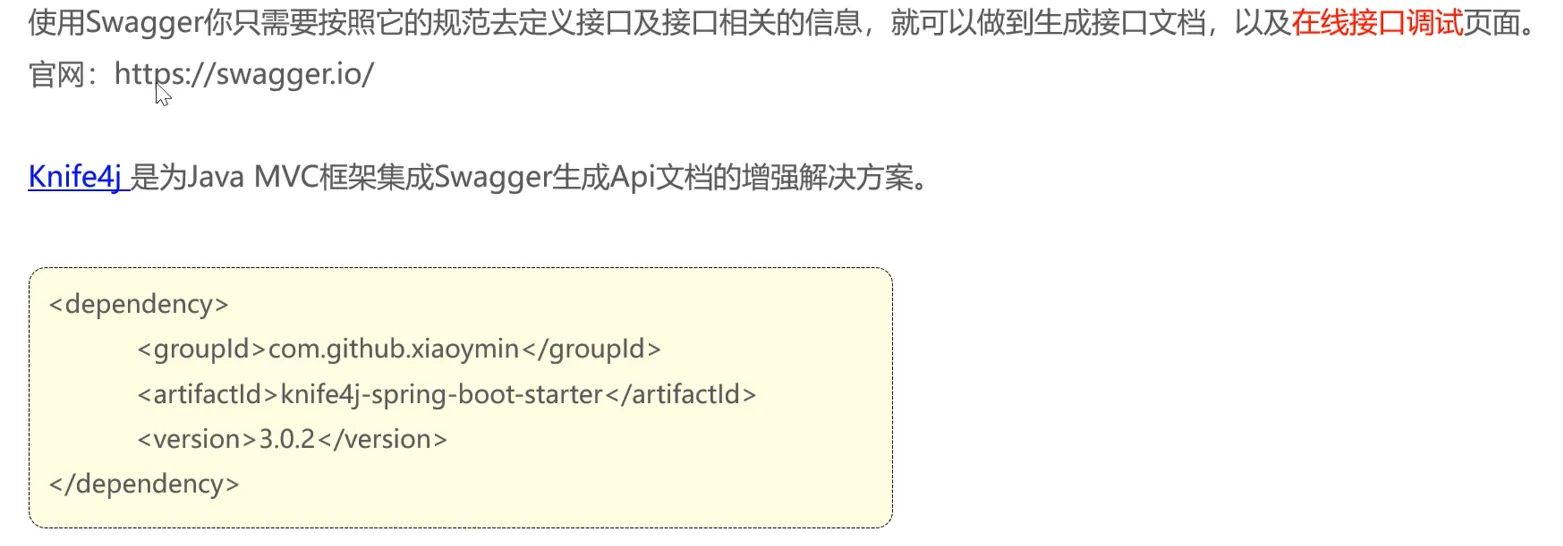
How to Use
- Import the knife4j Maven coordinates
- Add the knife4j-related configuration to the configuration class
- Set up static resource mapping, otherwise the API documentation page cannot be accessed
In this prepared project code, really you just run it and then directly visit localhost:8080/doc.html